Why Is My Wireless Power Bank Charging Slowly? (Fixed)
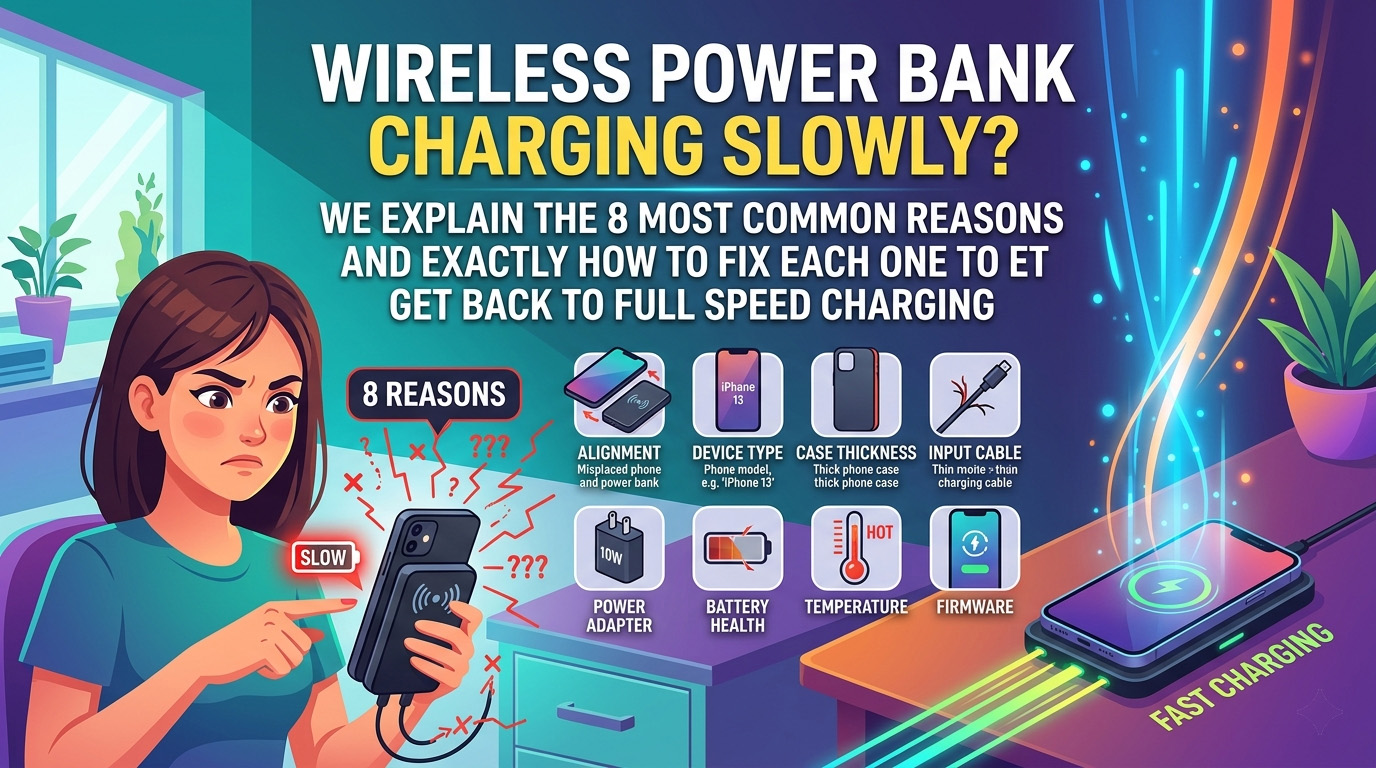
If your wireless power bank is charging slowly, it is most likely due to a misalignment between the phone and the power bank’s induction coils, interference from a thick or metallic case, or the use of an inferior charging cable to juice up the power bank itself. Wireless charging is naturally less efficient than wired charging, but speeds can be significantly improved by ensuring proper positioning, removing obstructive cases, and using a high-wattage power adapter to keep the power bank at peak performance.
Wireless charging is one of the most convenient technologies of the modern era. The ability to simply “set and forget” your phone on a portable battery while sitting at a cafe or traveling on a plane feels like the future. However, that convenience often comes with a frustrating trade-off: speed. If you have ever looked at your phone after an hour on a wireless power bank only to see a measly 10% increase, you aren’t alone.
In this comprehensive guide, we will dive deep into the physics of wireless charging, the technical limitations of portable batteries, and the 8 specific reasons why your setup is dragging. Most importantly, we provide the “Fixed” part of the title actionable steps to get your charging speeds back to where they should be.
Why Wireless Charging is Inherently Slower
Before we troubleshoot your specific device, it is important to understand the baseline. Even the best wireless power banks will rarely match the speed of a high-quality USB-C cable.
Wireless charging uses inductive coupling. Inside your power bank is a copper coil; inside your phone is another. When an alternating current passes through the power bank’s coil, it creates a magnetic field. This field “induces” a current in the phone’s coil, which is then converted into DC power for the battery.
During this process, energy is lost as heat. Standard Qi wireless charging is only about 60-70% efficient. This means if your power bank is pushing out 15W, your phone might only be receiving 9W or 10W. Compare this to a wired connection, which is often 90%+ efficient, and you can see why “slow” is often built into the design.
However, if your charging is unusually slow taking 4 or 5 hours for a full charge something else is wrong.
1. Wrong Cable or Cable Quality (The Input Bottleneck)
It might seem counterintuitive to talk about cables in a “wireless” guide, but your power bank is only as good as the energy it receives.
The Problem
If the cable you use to charge your power bank (or the cable connecting the power bank to a wall outlet for “pass-through” charging) is of low quality or lacks the necessary data pins for fast-charging handshakes, the power bank itself will operate in a low-power state. Many users don’t realize that if the power bank is low on juice or struggling to draw power, it will often throttle the output to the wireless coil to prevent a total shutdown.
How to Identify It
- Your power bank takes 8+ hours to recharge itself.
- The “Fast Charge” indicator on your power bank (if it has one) isn’t lighting up.
- You are using a thin, unbranded cable that came with a cheap toy or an older device.
The Fix
Replace your input cable with a certified USB-C to USB-C cable rated for at least 60W (even if your power bank only needs 20W). Look for brands like Anker or UGREEN. If you are using a USB-A to USB-C cable, ensure it is “Fast Charge” compatible. Quality cables have thicker internal copper wiring that reduces resistance and ensures the power bank is fully “fed.”
2. Misaligned Wireless Coils
This is the #1 reason for slow charging in the wireless world.
The Problem
For induction to work efficiently, the coil in the power bank and the coil in the phone must be perfectly centered over each other. Even a few millimeters of offset can cause the magnetic field to weaken significantly. When coils are misaligned, the power bank has to work harder (generating more heat) to transfer less energy.
How to Identify It
- Your phone feels exceptionally hot while charging.
- The charging starts and stops frequently.
- You have a non-MagSafe phone (like an older Android or iPhone) and you just “guess” where to put it.
The Fix
If you have an iPhone 12 or newer, use a MagSafe-compatible power bank. The magnets will automatically snap the coils into the perfect position. If you have an Android device, consider buying a Qi2 certified power bank, which brings magnetic alignment to the Android ecosystem. For standard Qi devices, look for alignment markings on the power bank and try to center the phone’s logo directly over the power bank’s center point.
3. Case Interference (Material and Thickness)
Your phone case is a physical barrier to the magnetic field.
The Problem
Magnetic fields follow the “Inverse Square Law” the strength drops off rapidly as the distance increases. A thick “rugged” case (like an OtterBox) can put 5-7mm of plastic between the coils, which can slash charging speeds by 50% or more. Furthermore, cases with metal plates (for magnetic car mounts), credit card slots, or even certain “glitter” finishes (which contain metallic flakes) can block the field entirely or cause “Eddy Currents” that generate dangerous levels of heat.
How to Identify It
- Your phone charges significantly faster when you take the case off.
- You have a “Wallet Case” with cards inside.
- Your case is thicker than 3mm.
The Fix
Switch to a MagSafe-compatible case or a thin (under 2mm) TPU/Polycarbonate case. If you need heavy-duty protection, look for cases specifically labeled as “Wireless Charging Compatible.” Never leave credit cards or metal objects between the phone and the power bank, as this is a fire hazard.
4. Temperature Issues (Thermal Throttling)
Heat is the absolute enemy of charging speed.
The Problem
Both phones and power banks have internal sensors to prevent them from melting. If the temperature exceeds a certain threshold (usually around 35°C to 40°C), the phone’s software will tell the charger to “throttle back” the speed. Since wireless charging generates significant heat by design, it is very easy to hit this thermal ceiling, especially in warm environments.
How to Identify It
- Charging starts fast but slows down after 10 minutes.
- The phone screen dims automatically.
- You are charging in a car, in direct sunlight, or in a room without air conditioning.
The Fix
Charge in a cool, shaded area. If your phone feels hot, take it off the charger for 5 minutes and let it cool down before restarting. Avoid using “Fast Wireless Charging” modes if you are in a hot environment, as the extra speed generates even more heat. Some high-end laptop power banks have built-in fans, but for most portable wireless units, passive cooling is your only defense.
5. Low Power Mode on Device
Sometimes, the “slow” charging is actually your phone’s choice.
The Problem
Modern smartphones have “Optimized Battery Charging” or “Low Power Mode” settings. If your phone is in Low Power Mode, it may limit background processes, but it can also affect how it negotiates power with a charger. More importantly, features like “Optimized Battery Charging” will intentionally slow down or stop charging at 80% to preserve long-term battery health.
How to Identify It
- The battery icon is yellow (on iPhone).
- The phone charges fast up to 80% and then crawls to 100%.
- You have “Battery Protection” settings enabled in your Android menu.
The Fix
If you need a quick boost, turn off Low Power Mode and temporarily disable “Optimized Battery Charging” in your settings. However, we recommend keeping these on for daily use to prevent your phone battery from degrading prematurely.
6. Power Bank Battery Health
Not all power banks stay strong forever.
The Problem
Lithium-ion batteries inside power banks degrade over time. After 300-500 charge cycles, the internal resistance of the cells increases. This means the power bank can no longer provide a steady, high-wattage current. If your power bank is 2 or 3 years old, its internal chemistry might simply be too weak to support fast wireless output.
How to Identify It
- The power bank “drains” much faster than it used to.
- It takes a long time to charge itself.
- You’ve had the device for more than 2 years of regular use.
The Fix
Check the “Cycle Count” if your power bank has a smart display (like the Anker Prime). If not, it might be time for an upgrade. Check out our guide on how to choose a wireless power bank to find a modern replacement with newer, more efficient cells.
7. Charger Wattage Too Low (The “Brick” Problem)
If you are using the power bank in “Pass-Through” mode, the wall adapter matters.
The Problem
If you have your power bank plugged into a wall outlet and your phone sitting on top of the power bank, you are using “Pass-Through charging.” If the wall adapter (the “brick”) is only a 5W or 10W unit (like the old iPhone cubes), there isn’t enough energy to charge the power bank and the phone wirelessly. The system will prioritize the power bank’s internal cells, leaving your phone with “trickle” speeds.
How to Identify It
- You are using an old, small USB-A wall plug.
- The phone only charges when the power bank is unplugged from the wall.
The Fix
Use a PD (Power Delivery) Wall Charger with at least 30W output. This ensures there is enough “overhead” to fast-charge the power bank’s battery while simultaneously pushing 15W to your phone wirelessly.
8. Software or Firmware Issues
Sometimes the problem is in the code, not the hardware.
The Problem
Wireless charging involves a complex digital “handshake” between the phone and the charger. They have to agree on a voltage and amperage. If your phone’s OS has a bug, or if the power bank’s firmware is outdated, they might default to the safest, slowest speed (usually 5W) to avoid errors.
How to Identify It
- You just updated your phone’s software and charging slowed down.
- The power bank works fine with other phones but not yours.
The Fix
Restart your phone. This clears the system cache and resets the charging controller. Additionally, check if your power bank has an app (like the Anker or Mophie apps) that allows for firmware updates. Keeping both devices updated ensures they are using the latest charging protocols.
Quick Diagnosis Checklist
Use this table to find your solution fast:
| If you see this… | The cause is likely… | The Quick Fix is… |
|---|---|---|
| Phone is very hot | Misalignment or Thick Case | Center the phone and remove the case |
| Charging stops/starts | Misalignment or Metal in Case | Use a MagSafe/Qi2 magnetic connection |
| Slow after 80% charge | Optimized Battery Charging | This is normal; disable in settings if urgent |
| Power bank takes forever to charge | Low-quality cable/adapter | Use a 30W+ PD Charger and 60W cable |
| Phone icon is yellow | Low Power Mode | Turn off Low Power Mode in settings |
| No “Fast Charge” pop-up | Incompatible protocol | Ensure power bank supports your phone’s specific tech |
FAQ: Your Wireless Charging Questions Answered
Why does wireless charging take so long?
Wireless charging is slower because of energy loss through heat and the physical distance between the coils. Even the fastest wireless chargers are roughly 30% slower than their wired counterparts. To maximize speed, ensure the coils are perfectly aligned and your phone is kept cool.
Does phone case affect wireless charging speed?
Yes, absolutely. Thickness and material are the two factors. Any case thicker than 3mm will significantly slow down the charging. If the case contains metal, magnets (non-MagSafe), or heavy carbon fiber, it may block the charge entirely.
How do I know if my power bank is charging at full speed?
Look for a “Fast Charge” icon on your phone (like the double lightning bolt on Samsung or the MagSafe animation on iPhone). Many modern power banks also have a built-in LCD screen that shows the output wattage. If you see 10W-15W, you are at full wireless speed. If you see 5W, you are charging slowly.
Should I remove my phone case when wireless charging?
If you want the absolute fastest speed, yes. However, for most users, using a “MagSafe Compatible” or “Wireless Friendly” case is a good middle ground. If your phone is getting very hot, removing the case is the first step you should take to help it dissipate heat.
Summary: Getting Back to Full Speed
To get the most out of your wireless power bank, you need to treat it differently than a standard cable. While cables are “plug and play,” wireless charging is “position and preserve.”
The Golden Rule: If you are in a rush, use a cable. If you have time and want convenience, follow the tips above: align the magnets, keep it cool, and use a high-quality input source.
If you’ve tried everything and it’s still slow, it might be a hardware limitation of your specific model. Consider checking out our buying guides for the latest Qi2 and MagSafe models that have solved many of these legacy issues.
Still having trouble? Read our deep dive on Qi vs Qi2 vs MagSafe to see if your hardware is simply outdated.
Found this helpful?
Share this guide with your friends or explore our recommended products.