Wireless vs Wired Power Banks: Which is Better? (2026)
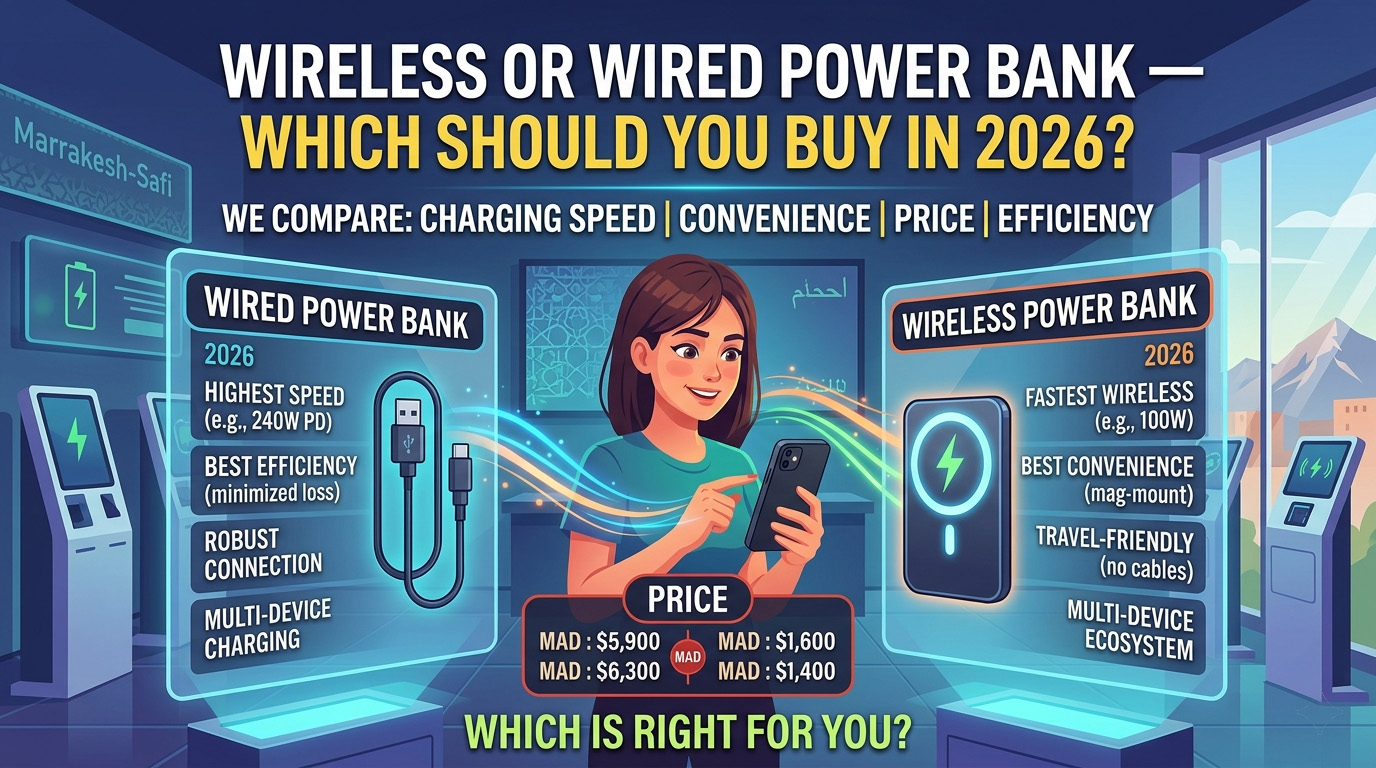
Wired power banks are the superior choice if you prioritize charging speed, energy efficiency, and value for money, while wireless power banks are the better option for convenience, cable-free portability, and reduced wear on your device’s charging port. In 2026, the gap between the two has narrowed significantly thanks to the widespread adoption of the Qi2 standard, but for high-demand users, the physical cable remains the king of performance.
The debate between wireless and wired charging has been raging since the first Qi-enabled smartphones hit the market over a decade ago. Back then, wireless charging was a gimmick slow, hot, and notoriously finicky. Fast forward to 2026, and the landscape has changed. We now have magnetic alignment, 15W wireless speeds, and power banks that can “snap” onto the back of your phone. However, wired charging hasn’t stood still either, with USB-C Power Delivery (PD) now routinely hitting 100W or more in portable form factors.
If you are looking to buy a new power bank this year, you are likely wondering: Is it worth paying the premium for a wireless model, or should you stick with the reliability of a cable? In this deep-dive comparison, we will analyze every aspect of the wireless vs. wired experience to help you make an informed decision.
How Wireless Charging Works (The Science of Induction)
Wireless charging, technically known as inductive charging, uses electromagnetic fields to transfer energy between two objects. Inside a wireless power bank, there is a primary induction coil (usually made of copper). When you turn the power bank on, an alternating current passes through this coil, creating an oscillating magnetic field.
When you place a compatible smartphone (like an iPhone 16 or Samsung S25) on top of the power bank, the magnetic field induces an electrical current in a secondary coil located inside the phone. This current is then converted back into DC power by the phone’s internal circuitry to charge the battery.
The Rise of Qi2 and Magnets
In 2026, the “old” way of wireless charging where you had to carefully align your phone on a pad is largely a thing of the past. The Qi2 standard, based on Apple’s MagSafe technology, uses a ring of magnets to ensure perfect alignment every time. This solved the biggest problem with wireless charging: misalignment. When the coils aren’t perfectly centered, energy is lost as heat, and charging speeds plummet. With Qi2-certified power banks like the Anker MagGo Power Bank (10K), the magnets do the work for you, snapping the phone into the “sweet spot” for maximum efficiency.
How Wired Charging Works (Direct Power Delivery)
Wired charging is far more straightforward. It relies on a physical, conductive path between the power bank and the device. Electrons flow directly through the copper wires of a USB-C or Lightning cable into the device’s battery management system (BMS).
In 2026, the gold standard for wired charging is USB-C Power Delivery (PD) 3.1 and PPS (Programmable Power Supply). These protocols allow the phone and the power bank to “negotiate” the exact voltage and current needed. This reduces conversion loss and allows for extremely high speeds.
For example, a high-end wired power bank can deliver 140W of power, enough to charge a MacBook Pro at full speed. Wireless charging, by contrast, is currently capped at 15W for most consumer devices due to the thermal limitations of induction.
Speed Comparison: The 15W vs. 100W+ Reality
When it comes to raw speed, there is no contest. Wired charging is significantly faster than wireless charging.
- Wireless Speeds: Most Qi2 or MagSafe power banks max out at 15W. While this is a significant improvement over the 5W or 7.5W of the past, it still takes about 2 to 2.5 hours to fully charge a modern flagship smartphone from zero.
- Wired Speeds: A standard USB-C PD power bank can easily output 20W, 30W, or even 100W. A 30W wired connection can charge an iPhone 16 or Samsung S25 from 0% to 50% in roughly 30 minutes.
If you are at an airport with only 20 minutes before your flight boards, a wired power bank is the only tool that will give you a meaningful boost. Wireless charging is better suited for “top-ups” throughout the day rather than emergency speed-charging.
Efficiency and Battery Loss: The “Hidden Tax”
One of the most overlooked aspects of the wireless vs. wired debate is efficiency. No energy transfer is 100% efficient, but wireless charging is notably “lossy.”
The Heat Problem
In wireless charging, roughly 30% to 40% of the energy is lost as heat during the induction process. This means that if you have a 10,000mAh wireless power bank, you aren’t actually getting 10,000mAh of “juice” into your phone. After accounting for the conversion losses in the power bank and the heat loss during wireless transfer, you might only successfully transfer about 6,000mAh to your device.
Wired Efficiency
Wired charging is much more efficient, typically losing only 10% to 15% of its energy. A 10,000mAh wired power bank will effectively deliver closer to 8,500mAh to your phone.
Pro Tip: If you are going on a multi-day camping trip where every milliamp-hour counts, stick to a wired connection. You will get nearly 30% more total charge out of the same physical battery size.
Convenience and Portability: The Wireless Edge
This is where wireless power banks shine. The convenience of not having to carry a cable cannot be overstated.
- Cable-Free Life: You don’t have to worry about your cable tangling in your bag or the connector breaking.
- Snap-and-Go: Magnetic power banks like the Anker 621 MagGo allow you to use your phone while it charges without a cable dangling from the bottom. This is a game-changer for tourists taking photos or people using GPS while walking.
- Port Protection: Constant plugging and unplugging can wear out your phone’s USB-C port over time. Wireless charging eliminates this physical wear and tear entirely.
- Standby Mode: On iPhones, using a magnetic wireless power bank with a kickstand (like the Belkin BoostCharge Pro 10K) allows you to use “Standby Mode,” turning your phone into a bedside clock or dashboard while it charges.
Price Comparison: What are you paying for?
Generally, wireless power banks are more expensive than their wired counterparts of the same capacity.
- Wired Power Banks: You can find a high-quality 10,000mAh wired power bank for $20-$30. The internal components are simple: a battery cell and a basic PCB.
- Wireless Power Banks: A Qi2-certified 10,000mAh power bank usually retails for $50-$80. You are paying for the copper induction coils, the ring of rare-earth magnets, and the advanced thermal management sensors required to keep the device safe.
If you are on a strict budget, a wired power bank like those from Baseus offers much better “milliamp-per-dollar” value.
Comparison Table: Wireless vs. Wired at a Glance
| Category | Wireless (Qi2 / MagSafe) | Wired (USB-C PD) |
|---|---|---|
| Max Speed | 15W | 20W - 140W+ |
| Efficiency | ~65% (High heat loss) | ~90% (Low loss) |
| Convenience | High (No cables needed) | Low (Requires cables) |
| Price | Premium ($$$) | Budget-friendly ($) |
| Compatibility | Qi/Qi2/MagSafe devices only | Anything with a USB port |
| Portability | Excellent (Snap-on) | Good (But needs cable) |
Best Use Cases for Each
When to choose a Wireless Power Bank:
- The Daily Commute: If you just need a small boost while on the train or bus, a magnetic “puck” that snaps to your phone is incredibly convenient.
- Travel and Sightseeing: Taking photos all day drains the battery. A wireless bank allows you to keep the phone topped up without a cable getting in the way of your grip.
- Office Desk: A wireless power bank that doubles as a stand is perfect for keeping your phone visible and charged throughout the workday.
When to stick with a Wired Power Bank:
- Emergency Situations: When your phone is at 2% and you need it to last through a long night, you need the speed of a wire.
- Long-Distance Travel: If you are on a 12-hour flight, the efficiency of a wired connection ensures you get every bit of power out of your battery bank.
- Laptops and Tablets: Wireless charging is not yet viable for MacBooks or iPads. If you need to charge anything larger than a phone, you need a high-wattage wired bank like the Anker Prime series.
- Gaming: Playing high-end mobile games generates heat. Adding wireless charging heat on top of that can cause your phone to throttle or even shut down to protect the battery.
Who Should Buy What?
The “Commuter” - Buy Wireless
If you use an iPhone 13-17 or a recent Samsung Galaxy, a magnetic wireless power bank is a lifestyle upgrade. The ability to simply snap a battery onto your phone and put it back in your pocket without a cable snagging on your jeans is worth the $20 premium.
The “Power User” - Buy Wired
If you are someone who is constantly on their phone, edits videos on the go, or travels frequently for business, a high-capacity wired power bank is essential. You need the 30W+ speeds to ensure your device stays alive during heavy usage.
The “Hybrid” - The Best of Both Worlds
Most modern wireless power banks actually feature a USB-C port that can be used for wired charging as well. For example, the Anker MagGo series allows you to charge wirelessly at 15W or plug in a cable to get 27W-30W speeds. This is usually the best investment for most people in 2026.
FAQ: Common Questions Answered
Is wireless charging slower than wired?
Yes. Currently, wireless charging is limited to 15W for most devices to prevent overheating. Wired charging via USB-C PD can reach 30W for phones and up to 140W for laptops, making it significantly faster for quick charging.
Do wireless power banks waste more battery?
Yes. Due to the nature of electromagnetic induction, a significant portion of energy is lost as heat. You can expect to lose about 30-35% of the power bank’s capacity during a wireless transfer, compared to only 10-15% with a wired connection.
Can I use a wireless power bank for my laptop?
Generally, no. Most laptops require at least 30W to 45W to charge, and wireless charging maxes out at 15W. Furthermore, most laptops do not have the induction coils required to receive a wireless charge. You should use the USB-C port on your power bank for laptops.
Are wireless power banks worth the extra cost?
It depends on your priorities. If you value a “clutter-free” experience and find cables annoying, the extra $20-$30 for a Qi2-certified magnetic bank is well worth it. However, if you just want the most battery capacity for the lowest price, a wired bank is the logical choice.
Our Verdict: Which is Better in 2026?
In 2026, the wired power bank remains the champion of performance and efficiency. If you want the fastest possible charge and the best value for your money, there is no replacing a high-quality USB-C cable.
However, the wireless power bank has won the battle of convenience. For the average person who just wants to make sure their phone doesn’t die by 5:00 PM, the ease of a magnetic Qi2 charger is hard to beat.
Our Recommendation: Buy a Hybrid Power Bank. Look for a Qi2-certified model that also offers a high-speed USB-C PD output. This gives you the convenience of wireless charging for your daily life, but keeps the “emergency” speed of wired charging available whenever you need it.
Looking for the best of both worlds? Check out our reviews of the Anker MagGo series and Belkin BoostCharge to find a power bank that does it all.
Found this helpful?
Share this guide with your friends or explore our recommended products.